
The Silicon Brain: What's a CPU, Anyway?
Picture a computer like a human body: the motherboard's basically the nervous system zipping signals around, the hard drive holds all your long-term memories, and the CPU? That's straight-up the brain calling the shots.
Tucked under a fan and heatsink, this little square chip handles most of the grunt work—reading commands from hardware and software, then making them happen. In this piece, I'll break down what makes a CPU tick, its key parts, and that endless loop it runs to turn 1s and 0s into something real.
1. Breaking Down the CPU's Guts
Even though today's CPUs pack billions of tiny transistors, you can boil it down to three main pieces that team up to crunch data.
The Control Unit (CU)
It's like the band leader or a cop directing traffic—it doesn't do the heavy math itself, just tells everyone else what to do.
Basically, it shuttles data between the CPU and the rest of the machine. It reads instructions, figures out what's needed, and bosses the math unit or storage spots around to get it done.
The Arithmetic Logic Unit (ALU)
This is the brawny calculator part. It cranks out the actual number crunching or comparisons.
Stuff like adding, subtracting, multiplying, dividing—or checking if A beats B, or running logic gates like AND, OR, NOT.
Next time you're messing with a spreadsheet, tweaking a photo, or firing up a game, the ALU's sweating the details.
Registers
These are super-fast storage right inside the CPU, like a quick notepad.
No need to trek to the slower main RAM for a second; they hold instructions, data in progress, and addresses so everything's grab-and-go.
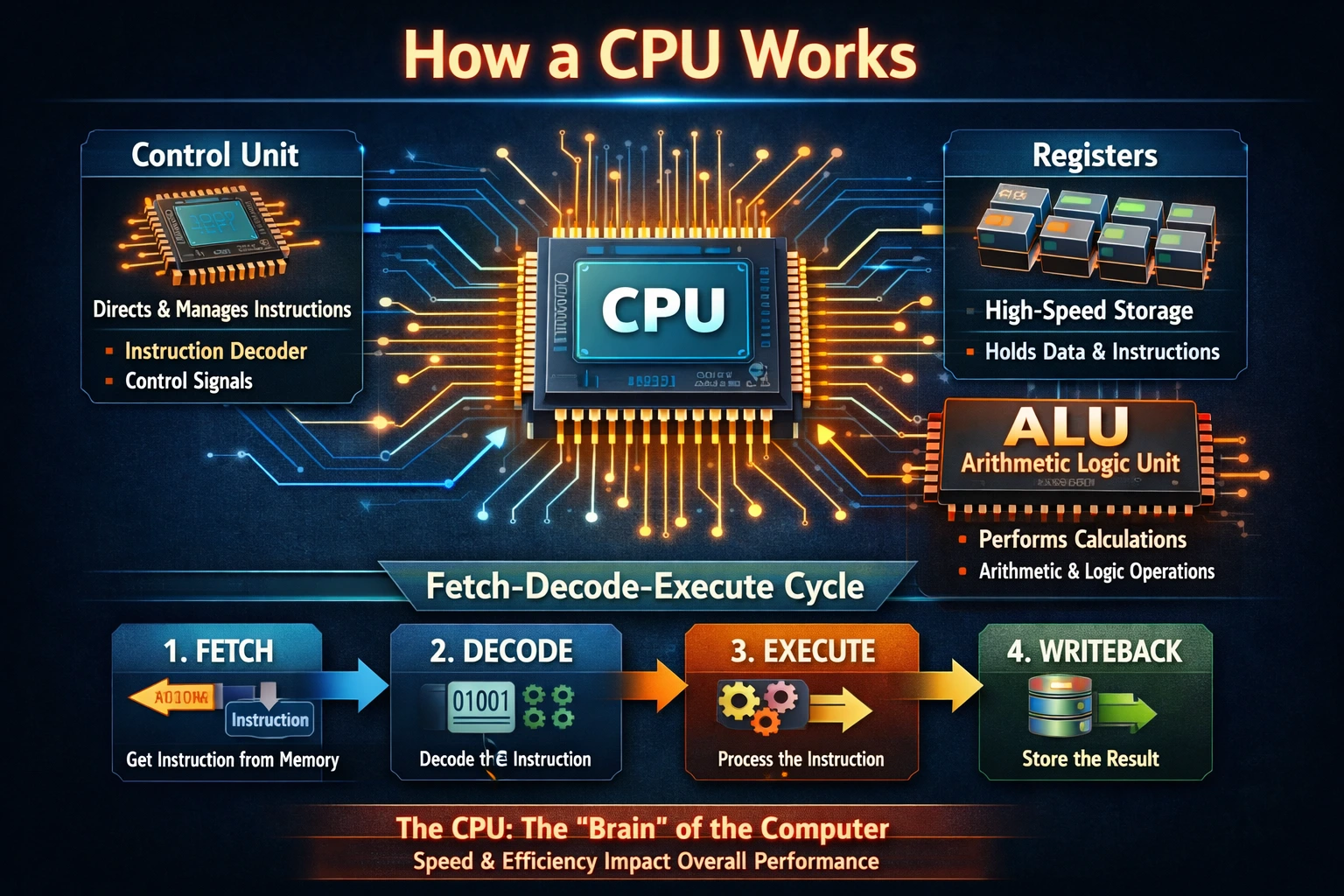
2. The Endless Loop: Fetch-Decode-Execute
The CPU's heartbeat is this repeating cycle—fetch an instruction, decode it, execute, repeat. Modern ones blast through billions per second, clocked in GHz.
Here's how it rolls, step by step:
Step 1: Fetch
Control Unit grabs the next instruction from RAM and parks it in a special spot called the Instruction Register.
Step 2: Decode
That instruction's just binary gibberish—strings of 1s and 0s. The CU translates it into something useful, like realizing 10110 means "add Register A to Register B."
Step 3: Execute
Time to do it. ALU handles math; Control Unit moves data if that's the gig.
Step 4: Store
Results go back to a register or RAM for the next round or later use.
3. Real-Life Example to Make It Click
Say you tap "K" while typing in Word. Here's the CPU's play-by-play:
Fetch: Grabs the keyboard signal from RAM.
Decode: CU figures it's "show the letter K on screen."
Execute: Tells the graphics side to render that K where your cursor sits.
Store: Updates the doc in memory so it sticks if you save.
Feels instant, but it's transistors flipping in nanoseconds—wild.
4. Why Call It the Brain?
The brain label fits because it's the central boss. It takes inputs like hardware interrupts (think mouse click, like a nerve firing pain), delegates jobs (brain says walk, CPU says play sound or send that email), and sticks to logic paths—no wild creativity, just solving puzzles step by step, kinda like you grinding through algebra.
5. What Makes a CPU Fast or Slow?
CPUs aren't all the same; speed comes down to a couple things.
Clock Speed
GHz tells you cycles per second—a 3.0 GHz chip does 3 billion. Faster usually means quicker work.
Cores
Old-school had one core. Now? Dual, quad, even octa. It's multiple brains on one chip—one scans for viruses, another streams video, a third browses. Real multitasking without choking.
The CPU's this insane feat of tiny switches and smarts, churning basic steps into the smooth digital world we live in. No wonder it's the core of every computer.