
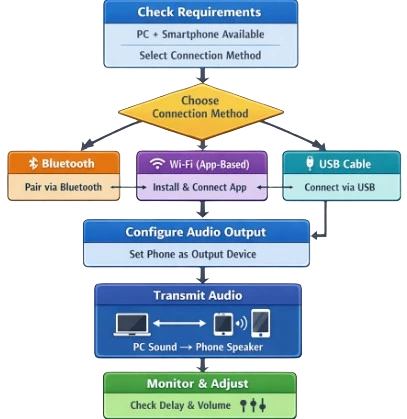
Option 1: Bluetooth (Easiest option, if your phone supports it)
What you’ll need
A Windows PC with Bluetooth
A smartphone with Bluetooth
How to set it up
First, turn on Bluetooth on your phone.
On your PC, open Settings → Bluetooth & devices, then switch Bluetooth on.
Click Add device, choose Bluetooth, and select your phone from the list.
Once the connection is complete, Windows will recognize your phone as an audio device. Click the speaker icon in the taskbar and select your phone as the output.
Pros: Simple setup, no extra apps
Cons: Slight audio delay and sometimes lower sound quality
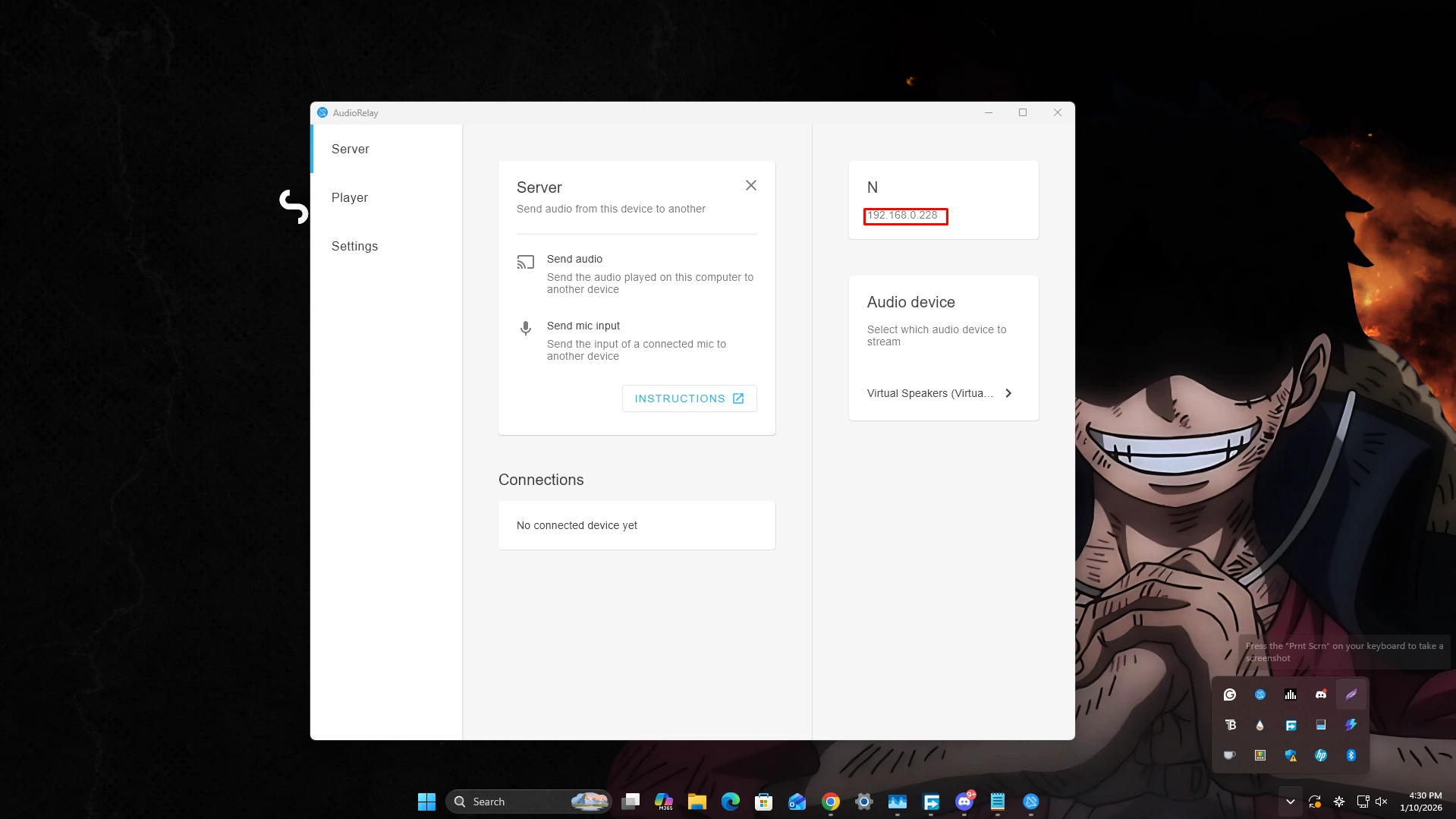
Option 2: Audio streaming apps (Best sound quality overall)
These apps let your phone act like a wireless speaker over Wi-Fi.
Popular choices
AudioRelay (Android & iOS)
SoundWire (Android)
WO Mic (mostly for microphone use, not ideal as a speaker)
Example: AudioRelay
Steps
Install AudioRelay on both your phone and your Windows PC.
Make sure both devices are connected to the same Wi-Fi network.
Open the app on both devices, switch to Speaker mode, and choose your phone as the audio output.
Pros: Low delay and clear audio
Cons: Requires installing software
Option 3: USB cable (Most reliable connection)
Some apps allow audio to be sent through a USB cable instead of Wi-Fi.
Example: SoundWire (Android)
Steps
Install SoundWire Server on your PC and the SoundWire app on your phone.
Connect your phone to the PC using a USB cable.
Enable USB tethering on your phone.
Start the SoundWire server and connect from your phone.
Pros: Very stable with almost no lag
Cons: Takes more time to set up
Option 4: AUX cable (Only if your phone has a headphone jack)
You can connect a 3.5mm AUX cable from your PC to your phone and use an app like Speaker Booster. Then, play audio on your PC as usual.
⚠️ This method isn’t ideal. Phones aren’t designed to accept audio input this way, so the sound quality is usually bad.
Best choice overall
Fast and simple: Bluetooth
Best for gaming or videos: AudioRelay or SoundWire
Lowest lag: USB connection