
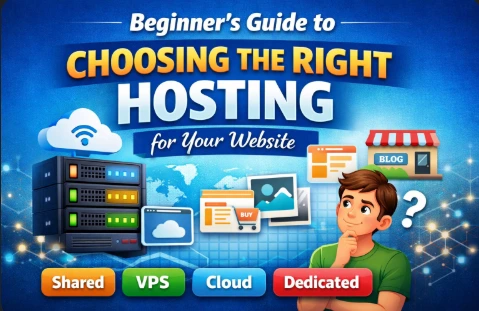
Beginner's Guide to Picking Web Hosting That Actually Works for You
Starting a website feels awesome, but first you've got to find it a spot to crash online. That's where web hosting comes in—basically the digital pad your site lives on.
If you're new to this, all the tech talk and plans can make your head spin. This breakdown skips the fluff and walks you through the basics: what hosting even does, why it counts, and how to grab one that fits what you're doing.
Part 1: Okay, So What Exactly is Web Hosting?
Picture your site like a actual house. The domain name (think yoursite.com) is the address that gets people to the door.
Hosting? That's the land under the house—the server space where all your files, pics, and pages hang out so anyone on the internet can pull them up.
It's just renting room on some beefy computer somewhere. Pick the wrong setup, though, and you'll deal with slow loads, hacks, or crashes when traffic picks up. Good hosting keeps things zippy, locks down your stuff, and scales up if you blow up online.
Part 2: The Main Kinds of Hosting, Broken Down Easy
Hosting isn't one-size-fits-all. Here's the big four, with everyday examples to make it click.
Shared Hosting
Like bunking in a dorm or splitting an apartment with buddies. Your site's got its own space, but you're all splitting the WiFi, power, and fridge (that's CPU, memory, bandwidth).
Upside: Super cheap and noob-proof.
Downside: One roommate blasting Netflix at 4K can lag everyone.
Good for: Blogs, side projects, or a quick portfolio.
VPS Hosting (Virtual Private Server)
More like your own unit in a condo building. Still on a shared server, but your chunk of resources is yours alone—no mooching neighbors.
Upside: Way steadier and quicker than shared, without a huge price jump.
Downside: Costs a tad more; might need to tinker a little.
Good for: Growing sites or small shops that want reliability.
Cloud Hosting
Imagine crashing at a bunch of Airbnbs linked together. Your site spreads across tons of servers—if one flakes out, others jump in seamless.
Upside: Barely ever goes down, and you can ramp up resources on the fly.
Downside: Bills flex with how much you use.
Good for: Startups exploding overnight or sites with wild traffic swings.
Dedicated Hosting
Straight-up owning a standalone house. Whole server is yours—full control over everything.
Upside: Top speed and ironclad security.
Downside: Pricey, and you've got to handle upkeep yourself.
Good for: Big companies, huge online stores, or traffic monsters.
Part 3: Stuff to Think About Before You Buy
Cheapest isn't always smartest. Weigh these:
What Kind of Site? A photo dump needs less juice than a store with thousands of listings.
How Much Traffic? Don't overbuy for day one—go modest but pick one that lets you level up easy.
Uptime Promises. Aim for 99.9%—that's barely any downtime, or you'll lose eyeballs.
How Fast It Loads. Matters for search engines and people who bounce if it drags. Dig into reviews.
Help When You Need It. 24/7 chat or phone is gold if something tanks at midnight.
Room to Grow. One-click upgrades? Yes please.
Part 4: Pitfalls Newbies Hit All the Time
Grabbing Free Hosting. Ads everywhere, weak protection, and they might nuke your site outta nowhere. Pass.
Locking in 3 Years Upfront. Discounts sound sweet, but if it sucks, you're stuck. Test with a year.
Missing the Renewal Catch. Intro deals at $3/month spike to $15 later. Scope the real long-term cost.
Part 5: Quick Picks by What You're Doing
| What You're Building | Go With | Reason |
|---|---|---|
| Blog or Portfolio | Shared | Cheap setup, plenty for low-key stuff. |
| Small Biz Site | Beefy Shared or VPS | Looks pro, handles customers without hiccups. |
| Online Store | VPS or Managed (like WooCommerce) | Locks in payments tight and keeps carts from dropping. |
| News/Media with Viral Potential | Cloud | Survives traffic bombs no sweat. |
Wrapping it up, hosting doesn't have to overwhelm you. Figure out your site's current vibe—most starters do fine with solid shared hosting to dip a toe in. Build it out, then scale as things heat up. Just pick someone trustworthy and get your house on the map.